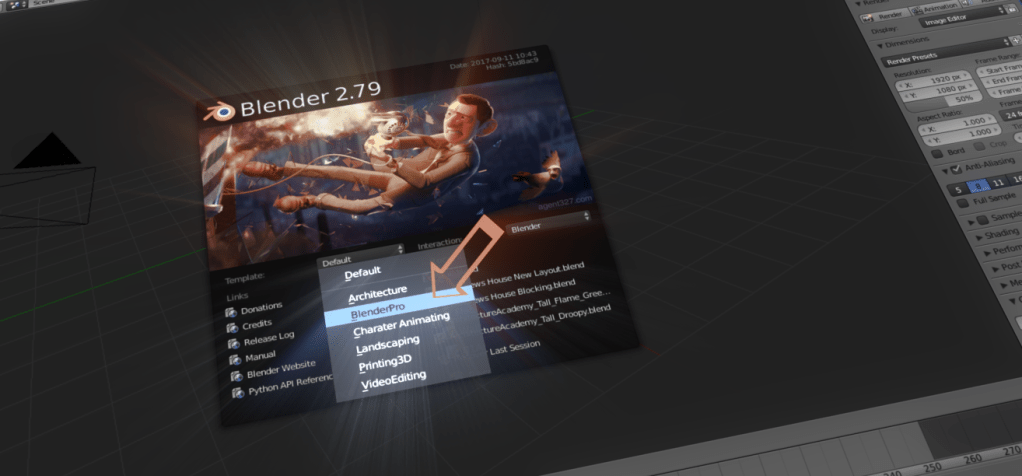
Blender 2.79 introduced application templates and 2.8 will take them to a whole new level. If you use Blender you should understand how use can utilize this new feature to increase productivity and make Blender easier to work with. In this article we will discuss every thing you need to know about application templates.
What are Application Templates
Application Templates allow you to configure blender to make your job easier. Once Application Templates are installed they can be selected from the splash screen.
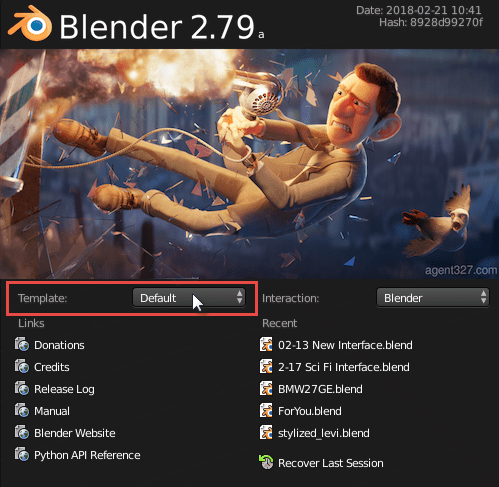
The Blender Pro Application Template
Blender Pro is an experimental application template to improve Blenders interface. It is currently in development, but is open source and available to everyone.
For more information about The Blender Pro Application Template read this article:
 Blender Pro – Improving Blenders Interface For 2.8
 Download The Application Template Here

How to Install Application Templates
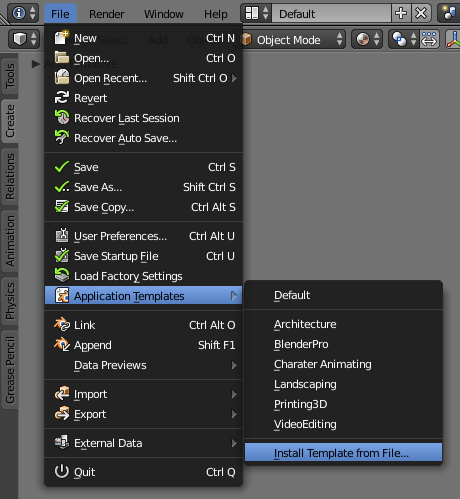
Installing Blender Application Templates is very easy. Go to File > Application Templates > Install Template From File then browse to the location of the Template.
 Important Note: These steps will only work with Blender 2.79 and newer.
Step 1 – Install Blender: You need to have Blender 2.79 installed on your computer you can download blender from https://www.blender.org/download/
Step 2 – Download the App Template: The template can be downloaded from Here. You can save the file anywhere on your computer.
Step 3 – Install the Template: With Blender Open go to File > Application Templates > Install Template from File… Then browse to the zip file you download in Step 2. And click the Install File from Template in the top right hand corner of the screen.
How to Uninstall A Template
There is currently now way to uninstall a template from the user interface, but removing the template is as simple as deleting the folder.
When you install a template all that happens is the zip file you selected gets extracted to this location.
- Windows – Users\<USER>\AppData\Roaming\Blender Foundation\Blender\2.79\startup\bl_app_templates_user
- MacOS – /Users/<USER>/Library/Application Support/Blender/2.79/startup/bl_app_templates_user
- Linux – $HOME/.config/blender/2.79/startup/bl_app_templates_user
Delete the BlenderPro Folder in that location and once you restart the application the template will be removed.
How Create Application Templates
If you want to create your own application template read the information available in the Blender User Manual.
https://docs.blender.org/manual/en/dev/advanced/app_templates.html
The Future of Application Templates
The future of application templates depends a lot on what the community needs, but for now the Blender Pro Application Template will continue to be developed. If you want to see planned development tasks view the issue list on Github.
If you have any questions or recommendations on Application Templates please let me know.
 Contact Page


 Home Builder
Leave a reply to DJ Waterman Cancel reply